| Home » Categories » Control Panel |
How to Setup Full Permission in Plesk 11 and above? |
|
Article Number: 295 | Rating: Unrated | Last Updated: Tue, Sep 23, 2025 at 10:59 PM
|
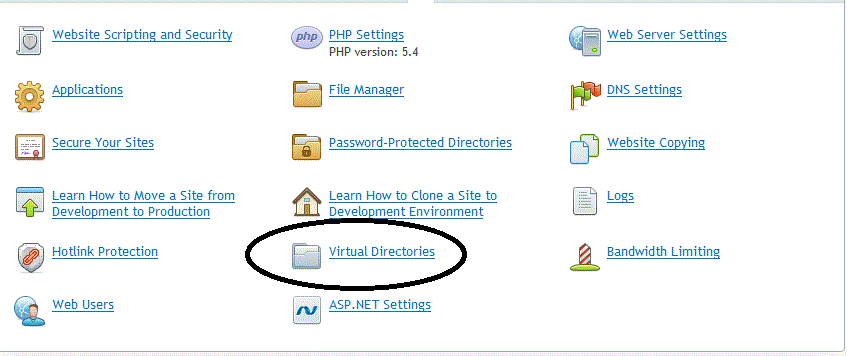
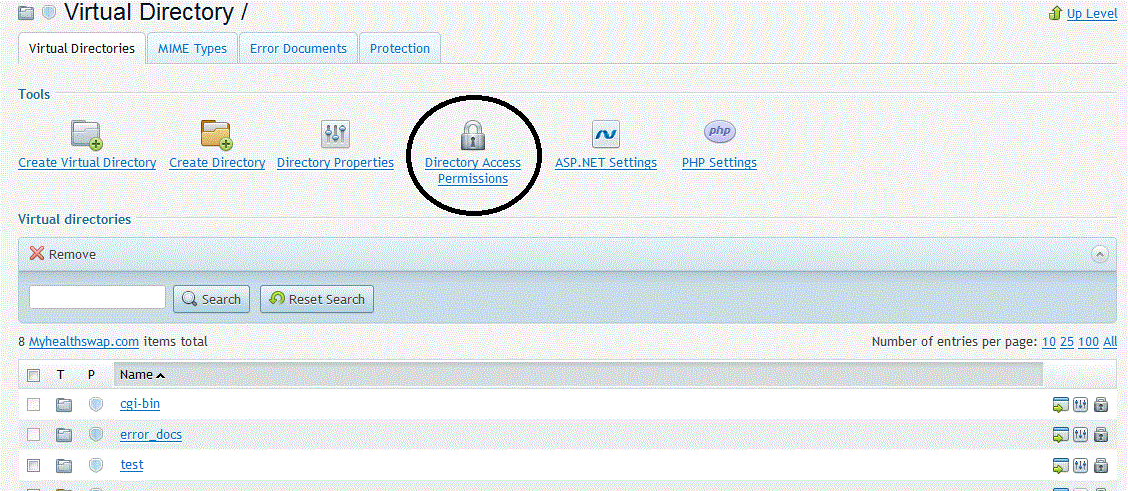
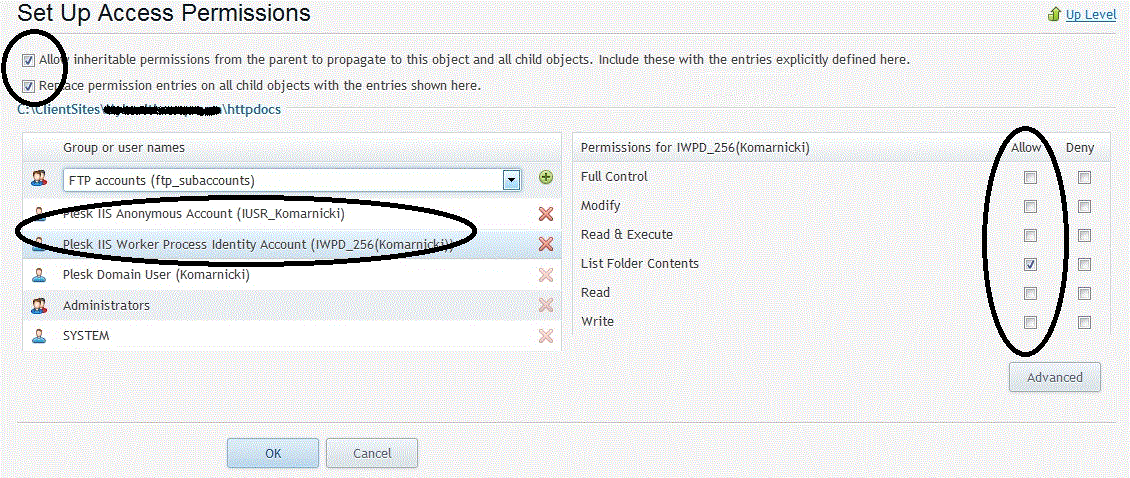
Steps by steps to grant full permission in Plesk 11 and
Plesk 12: 4. Click Directories Access Permission 5. Please kindly grant full permission on Plesk IIS
Anonymous Account and Plesk IIS Worker |
Attachments

There are no attachments for this article.
|
Related Articles 
Can I setup a Cron Job on my Control Panel?
Viewed 3670 times since Wed, May 2, 2012
Can I setup a Scheduled Task on my Control Panel?
Viewed 4001 times since Wed, May 2, 2012
How to Setup Full Permission in Plesk 9.5?
Viewed 5594 times since Tue, Jun 10, 2014
What sort of Control Panel system are you using?
Viewed 4237 times since Wed, May 2, 2012
Can you organize a non-English Control Panel for me?
Viewed 3593 times since Wed, May 2, 2012
Can I change the default logo of my Control Panel?
Viewed 3274 times since Wed, May 2, 2012
Why can’t I see or select ASP.NET 4.6 on my Control Panel?
Viewed 3926 times since Wed, Feb 17, 2016
I cannot login to my Control Panel. What should I do?
Viewed 4069 times since Wed, May 2, 2012
How can I change the ASP.NET version on my Control Panel?
Viewed 7999 times since Wed, May 2, 2012
Can I change my Control Panel username?
Viewed 3640 times since Wed, May 2, 2012
|
 Subscribe to Article
 Print Article
-
 Email Article to Friend
 Export to PDF
 Export to MS Word
 Tweet This Article
 Digg It
 Stumble Upon
 Del.icio.us